Integration with Vitrium for eBooks
SOP for Linking E-Books from ResumePlace to Vitrium
Objective
This SOP outlines the steps required to correctly link e-books from the ResumePlace WordPress website to the Vitrium platform, ensuring proper integration and access for customers.
Key Steps
Step 1: Access the ResumePlace Integrated E-Books Account 0:11
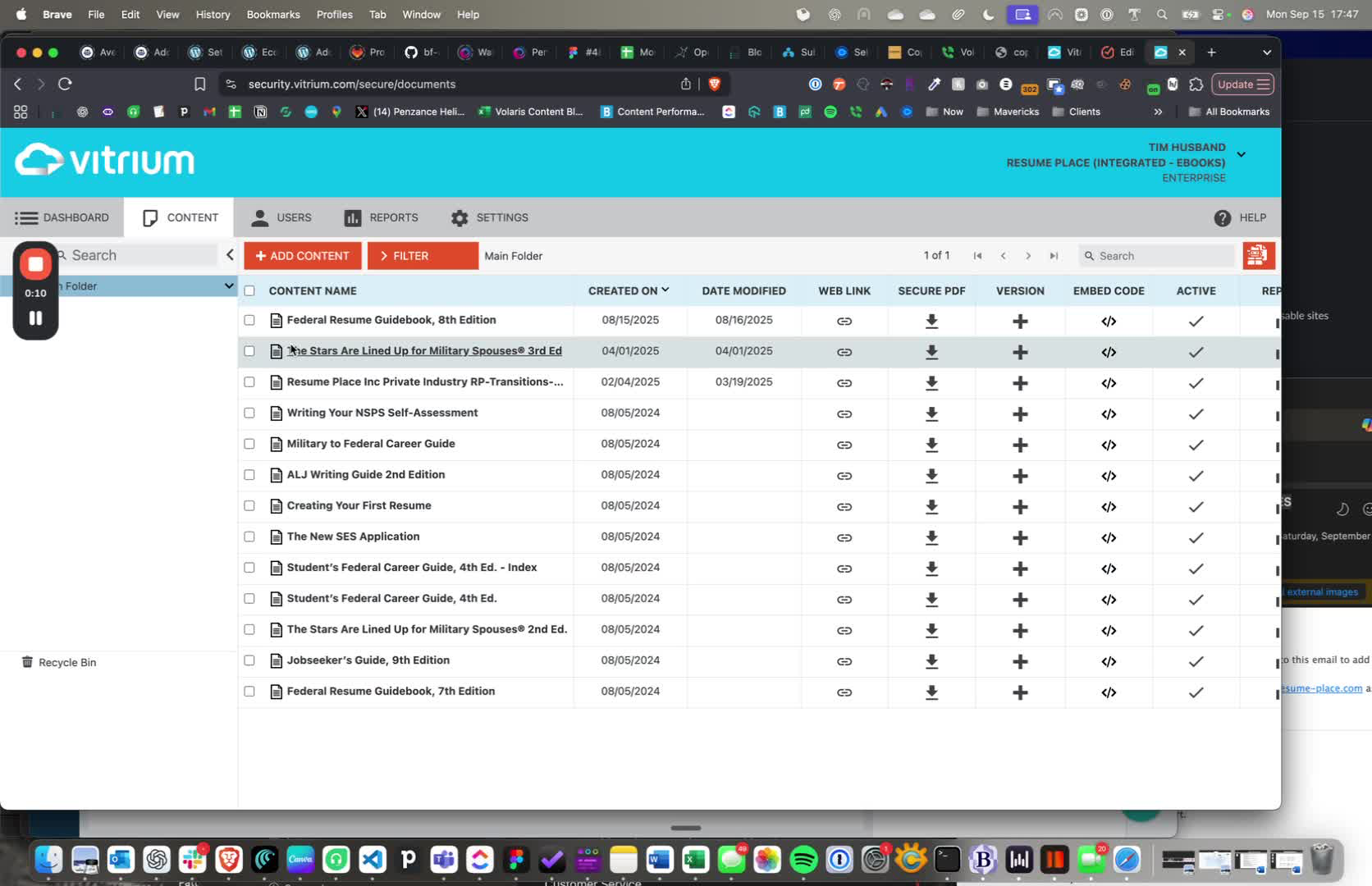
Log in to the Vitrium platform.
Navigate to the ResumePlace integrated e-books account.
Confirm that all e-books are loaded as PDF documents.
Step 2: Check the External Key for E-Book 0:24
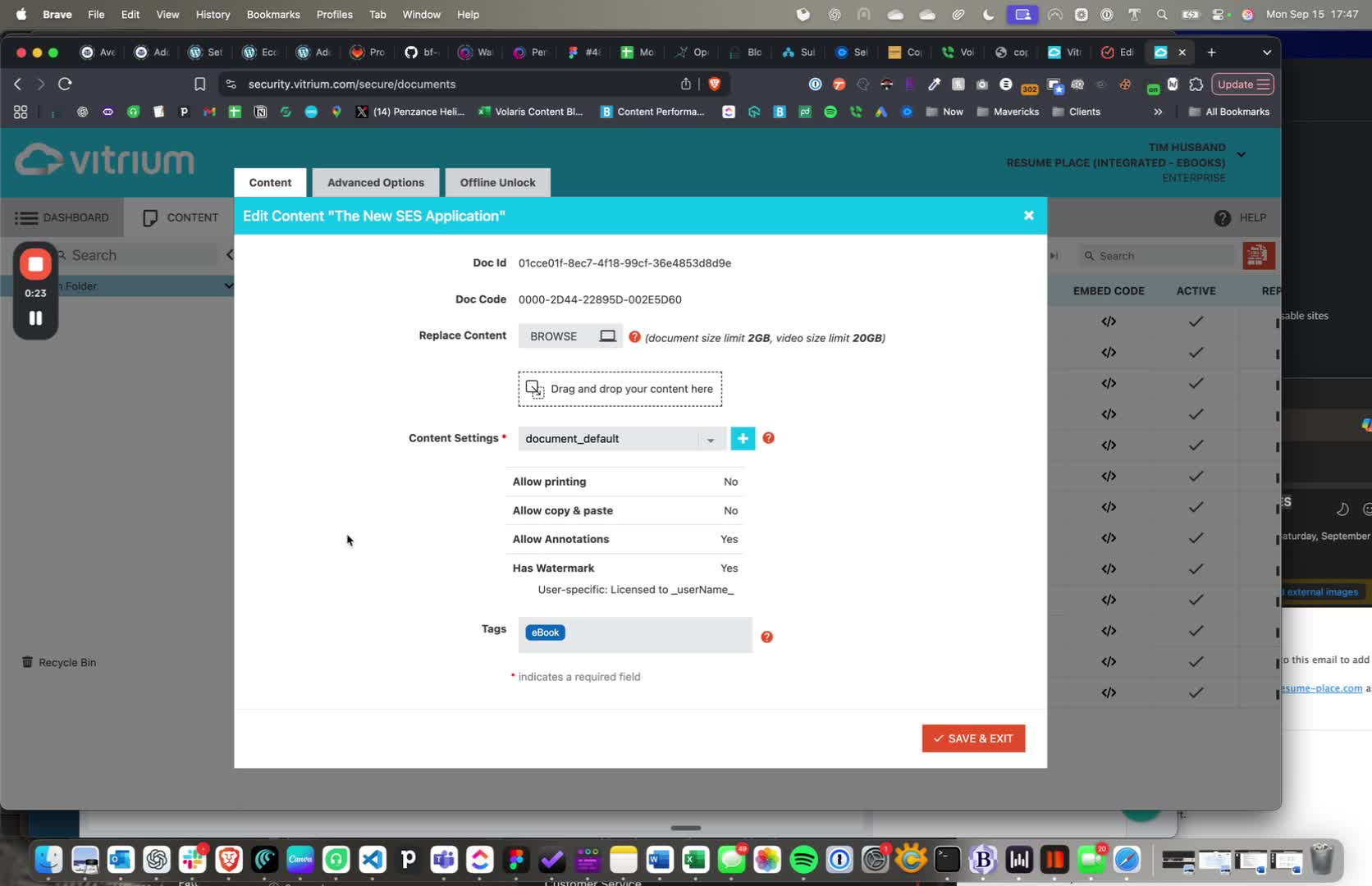
Select the e-book you want to link (e.g., new SES application).
Click on 'Advanced Options'.
Note the external key (e.g., 2566) that is used for integration.
Step 3: Verify Product Variation ID 0:48
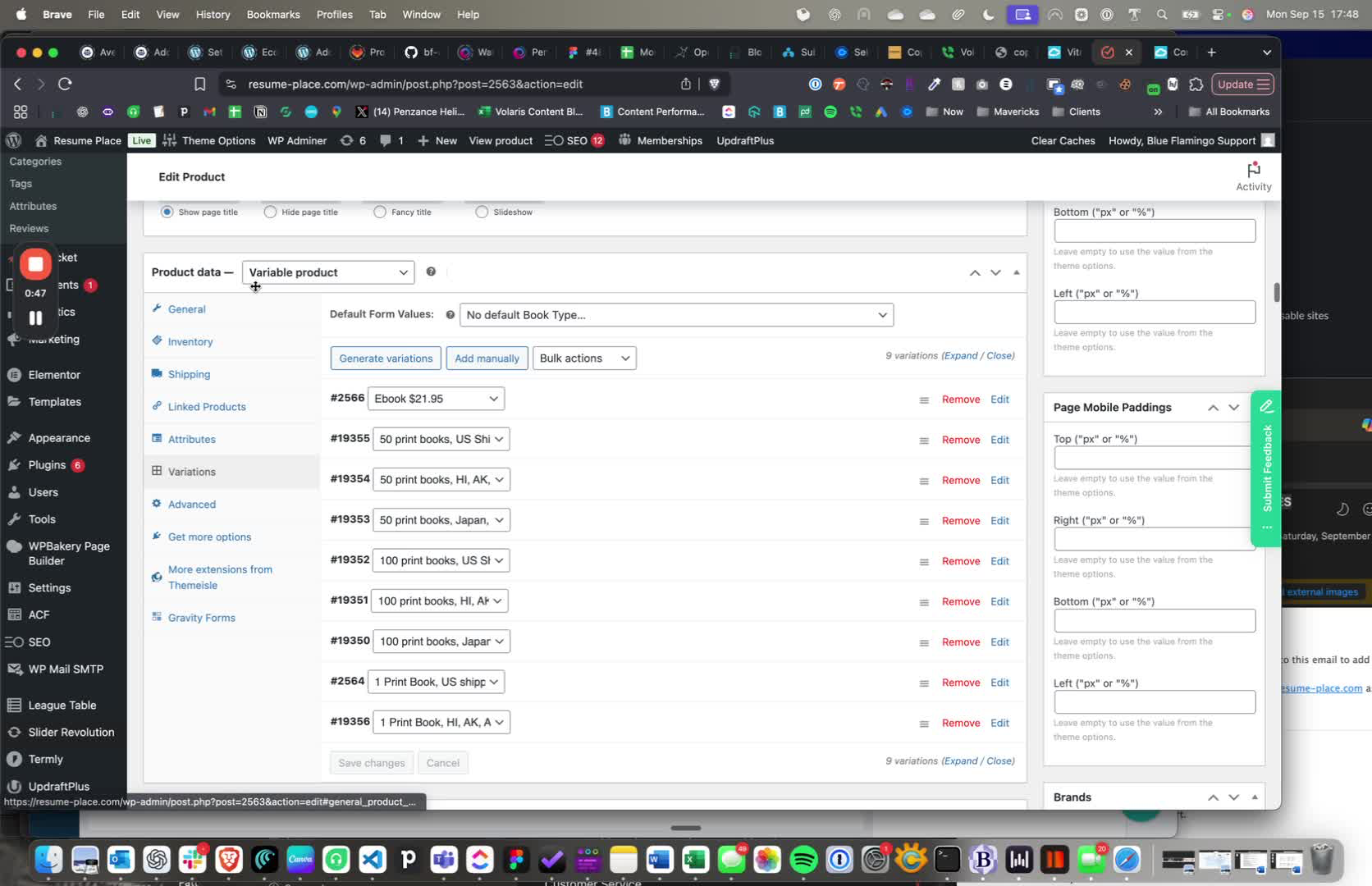
Identify the variable product for the e-book (e.g., SES book).
Ensure that the product variation ID matches the external key noted earlier.
Step 4: Upload PDF with Correct External Key 1:12
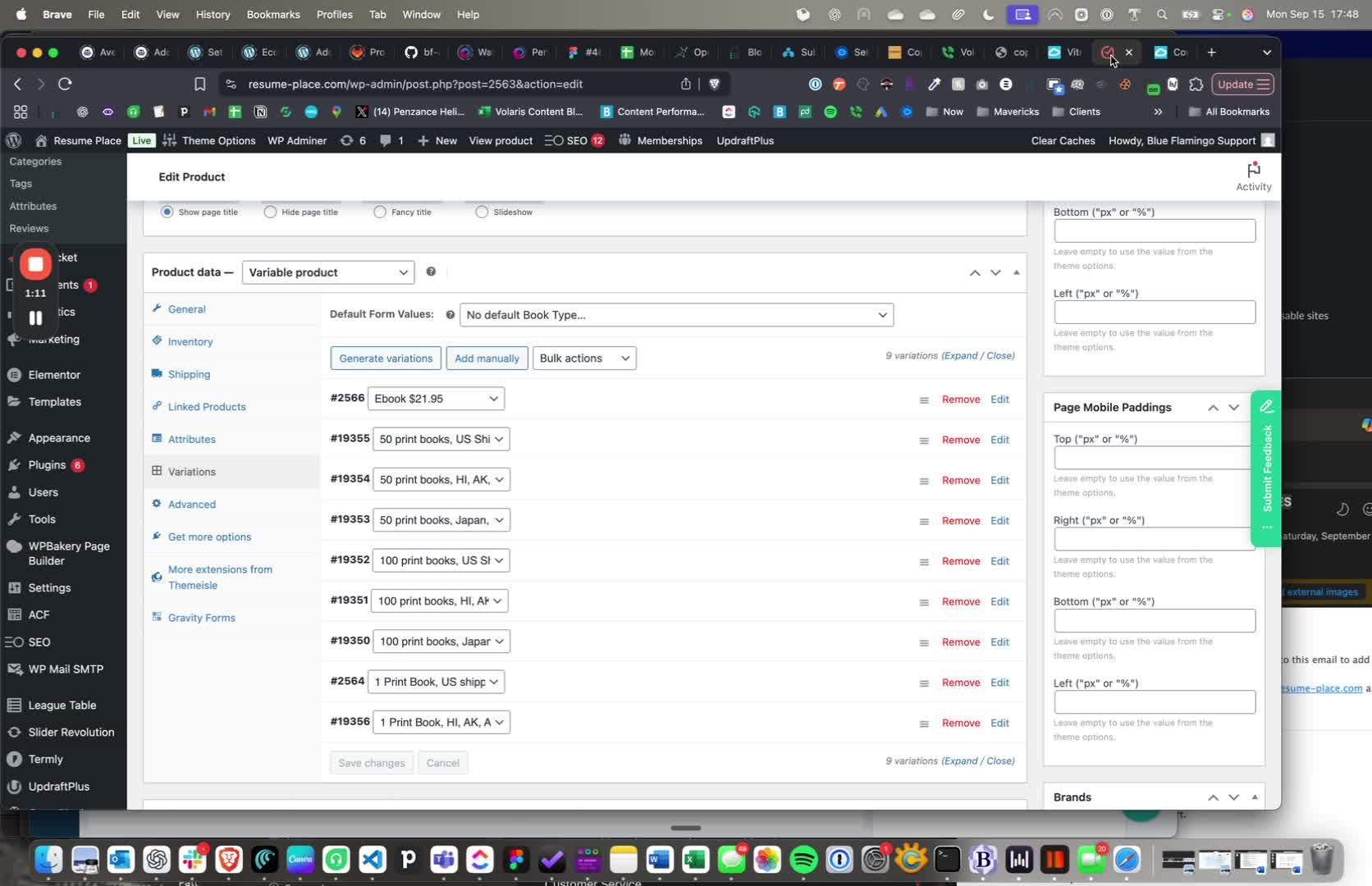
When uploading the PDF, ensure the external key matches the product variation ID.
Confirm that the integration will break if these IDs do not match.
Step 5: Set E-Book as Virtual Product 1:33
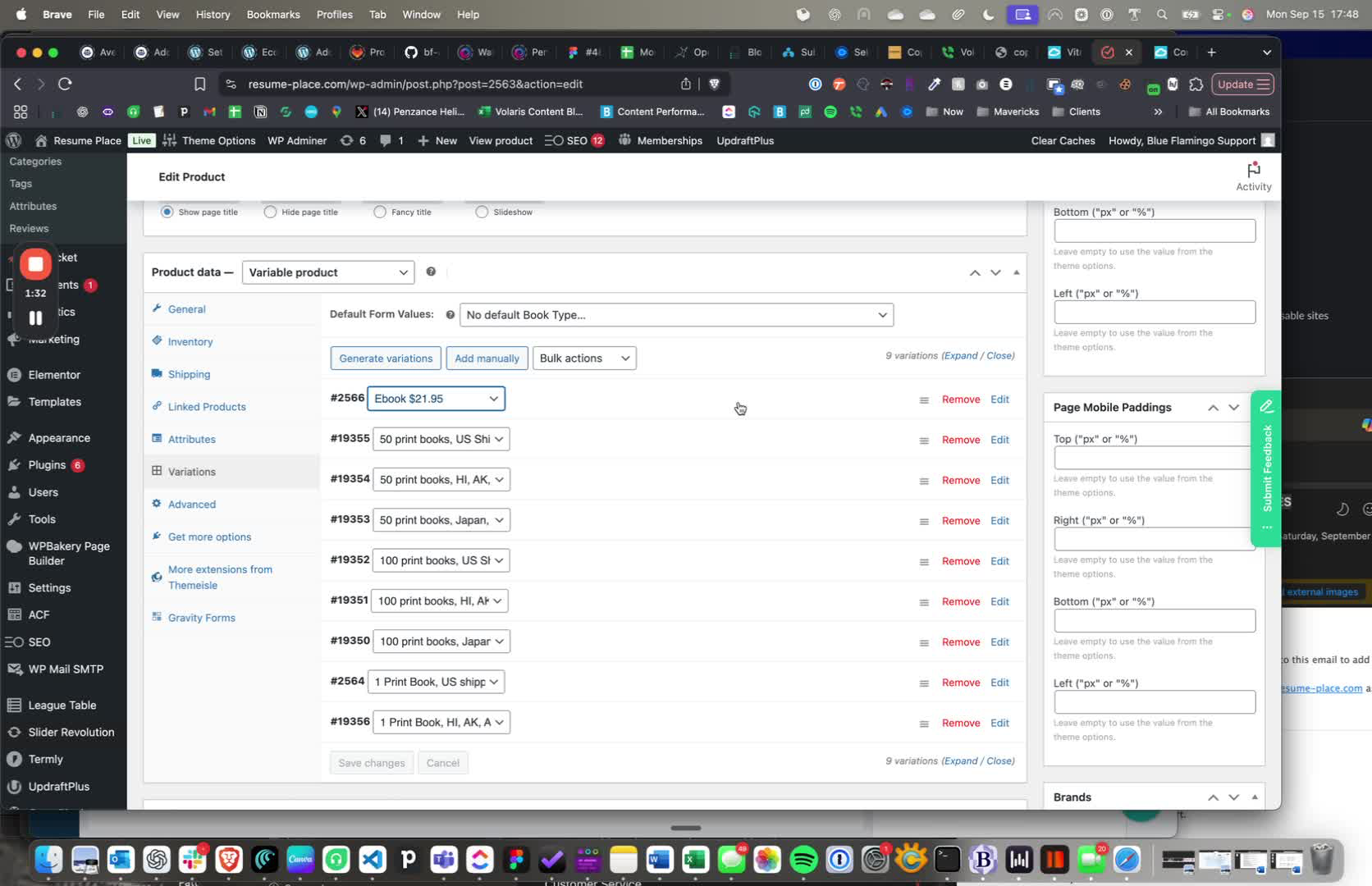
Ensure that the e-book is set as a virtual product in the system.
This is crucial for the integration to function properly.
Step 6: Troubleshoot Incorrect IDs 2:34
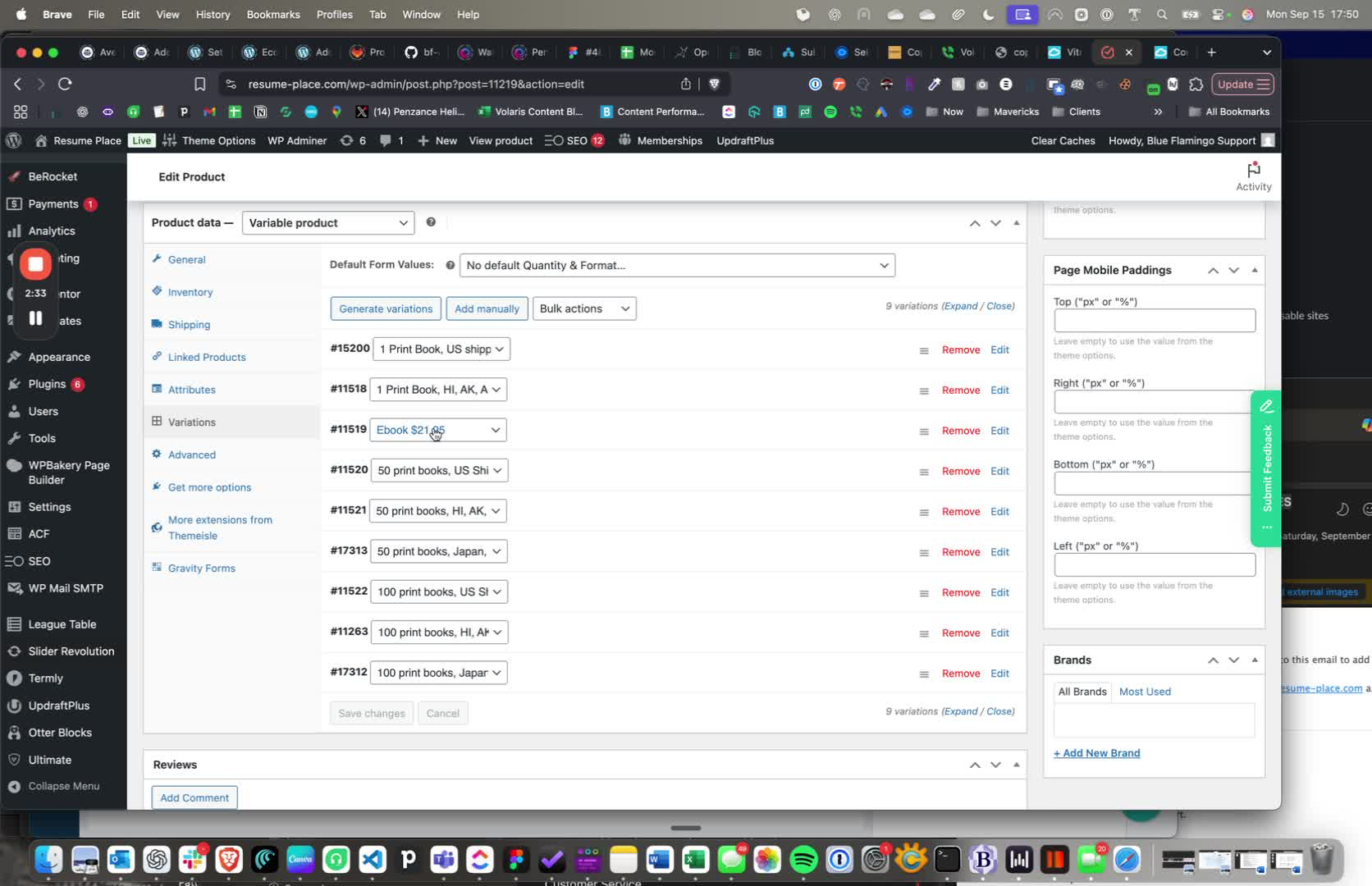
If customers are not receiving access, check for any discrepancies in the product variation IDs.
Make necessary corrections to ensure all IDs are accurate.
Cautionary Notes
Always double-check the external key and product variation ID to prevent integration issues.
If changes are made to IDs, ensure they are updated in both Vitrium and the ResumePlace system.
Link to Loom
https://loom.com/share/639d3e1cf7fe4946911d78d2446a5dd8
--------------------------------------------------------------------------------
Background from previous developers:
https://wrkhrsco.notion.site/Resume-Place-91bf98654a9f45d5b63fc0c370c88fe7?pvs=74
Information specific to logins is here:
https://wrkhrsco.notion.site/03-Supplied-fdb85ebe79f04761b0fbc63469e807a2
AWS Email Service for website emails
email-smtp.us-east-1.amazonaws.com
resume@resume-place.com
587
SMTP Username: AKIA4Q42KVW3TWNKERGE
SMTP Password: BIuh5PLJ63EXAv28UuSBQg+O8bs28P5ZZSWepNDdPqzj
Email managed by Tech Starters
Vitrium
ebooks managed in Vitrium. Vitrium built the integration between WordPress and Vitrium
Was this article helpful?
That’s Great!
Thank you for your feedback
Sorry! We couldn't be helpful
Thank you for your feedback
Feedback sent
We appreciate your effort and will try to fix the article